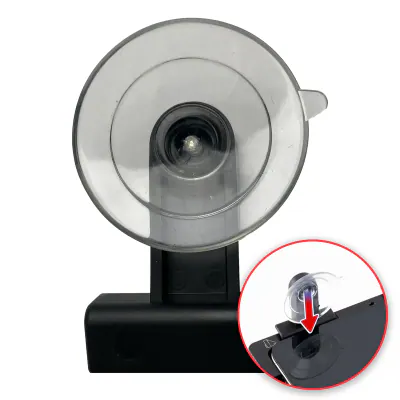
Suction cup de rechange pour plateau de réparation (à l’unité) (outil de service OEM)
In stock · Dispatched within 24 to 48 hours (working days)€7.90
Compatible — Third-party manufacture. The lowest price for a repair.
This part also fits: iPhone 7 Plus.
Your choice: Compatible · Black
Ordered before 17:00 on a working day: dispatched on the next working day or the day after. Expected dispatch between Tuesday 10 November and Thursday 12 November. Estimated delivery outside France between Friday 13 November and Thursday 19 November (working days, estimate).
Check your exact model before ordering: a iPhone 7 does not accept parts from another version (mini, Plus, Pro, Ultra…). Find my model
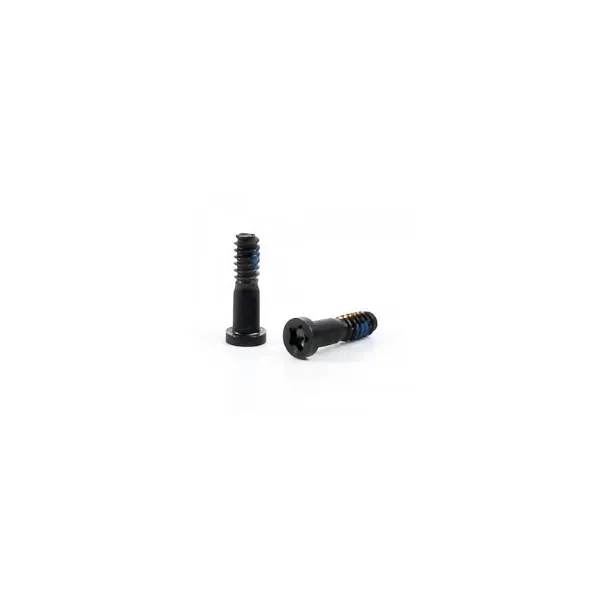
This kit contains black screws for assembling the iPhone 7. It is used to secure the internal components of the device, for example when replacing a screen, a battery or a connector. A loose or missing screw can cause play in the chassis, friction against a flex cable or an unstable fixing of the board. This kit is a compatible part made by a third party: it lets you replace lost or damaged screws without changing the current part.
Before you start, prepare a clean, well-lit workspace fitted with an anti-static mat and screwdrivers suited to small screws. Keep the screws in a tray so they do not get mixed up, as they are not all the same length. Disconnect the battery before touching the flex cables and avoid excessive heat or any contact with liquids.
After assembly, check that each screw turns freely without forcing and that none protrude. Make sure the phone does not creak and that the components stay firmly in place. If a swollen battery appears during the repair, stop handling it immediately and do not use it any more.
Fitting guide: work with the device switched off, disconnect the battery before touching any flex cable, keep the screws in order and test the part before closing up. A question before ordering? Write to us.
To open and close the device without damaging it.